
HBD technology · Front Desk
UpsellPacer: a platform to measure and manage Front Desk upselling
The analytics and follow-up platform supporting upselling implementation at Front Desk.
Our platform for Front Desk
UpsellPacer.
From data to action.
With UpsellPacer, hotels can track upselling revenue, products, targets and individual agent performance. Analytics and follow-up support the way of working we implement at Front Desk.
Every day.
Daily and cumulative revenue.
Agent and product rankings.
Shift targets and priorities.
Every week.
Progress against the previous week.
Product and sales mix.
Target and team follow-up.
Management overview.
Monthly results against targets.
Hotel comparisons and trends.
Priorities for optimisation and scaling.
Without PMS integration
Record daily sales or upload PMS views and files to generate follow-up reports.
With optional PMS integration
Data is obtained according to the validated connection, PMS compatibility and scope agreed with the hotel.
Implementation & Transfer: UpsellPacer is optional.
Performance Based: included during the programme.
PMS integration is optional in both models.
UpsellPacer in pictures
From daily activity
to commercial decisions.
Explore screenshots from the UpsellPacer manual and sample reports for Front Desk and management. Enlarge any image to browse all seven slides.
Visual sources in Spanish: screenshots and sample reports retain the language of the original documents.
Reports have been prepared for demonstration: hotel names, employee names, commercial amounts and original numeric references have been removed. Charts illustrate the report structure. Manual screenshots show the workflow and may differ from the current interface.
Working screens.
 Enlarge and browse the slides ↗
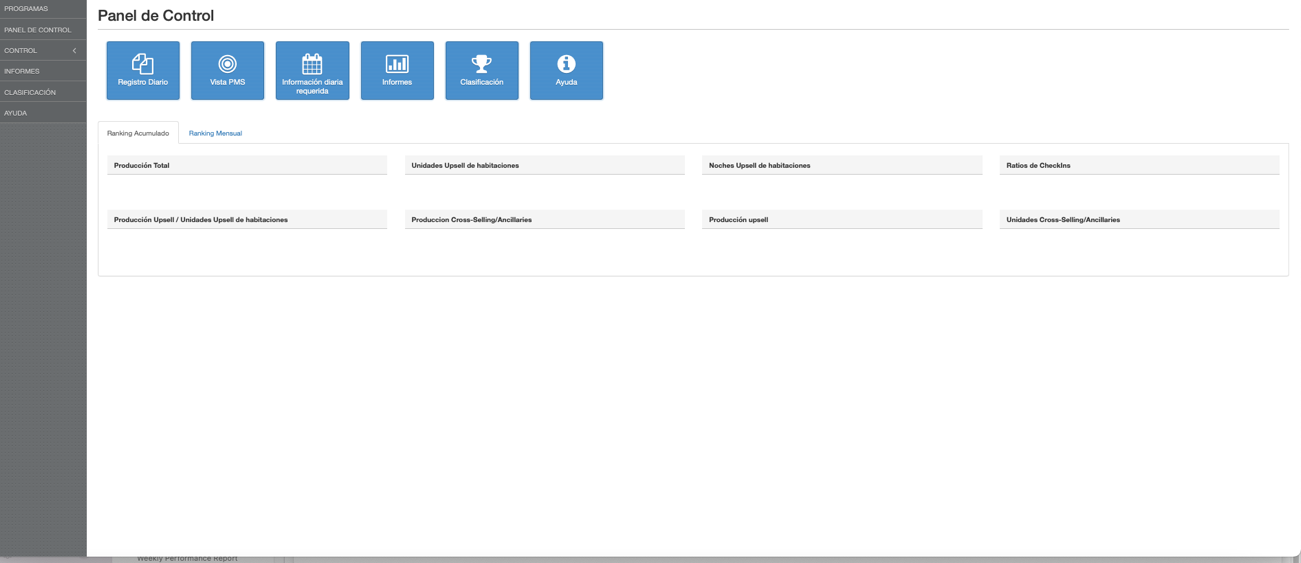
Front Desk control panel
Daily records, PMS view, required information, reports and rankings. Screenshot from the manual.
 Enlarge and browse the slides ↗
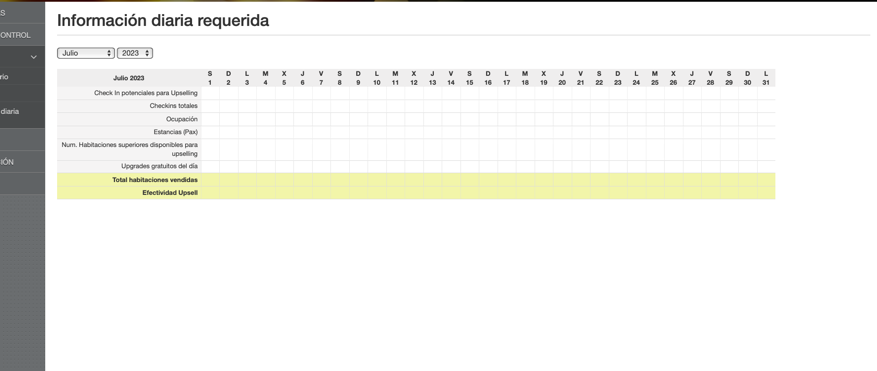
Daily activity monitoring
Check-ins, occupancy, higher-category availability and upselling effectiveness. Screenshot from the manual.
 Enlarge and browse the slides ↗
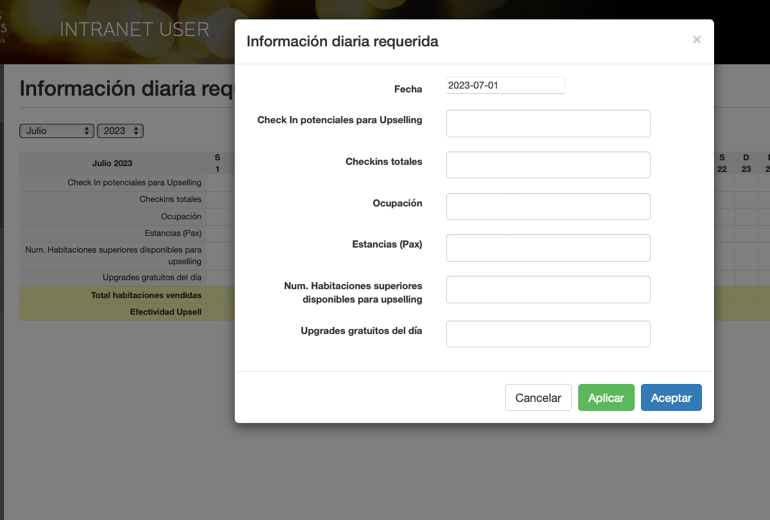
Data to help interpret conversion
Activity and opportunity form: sales need context to manage performance. Screenshot from the manual.
Reports to manage the operation.
 Enlarge and browse the slides ↗
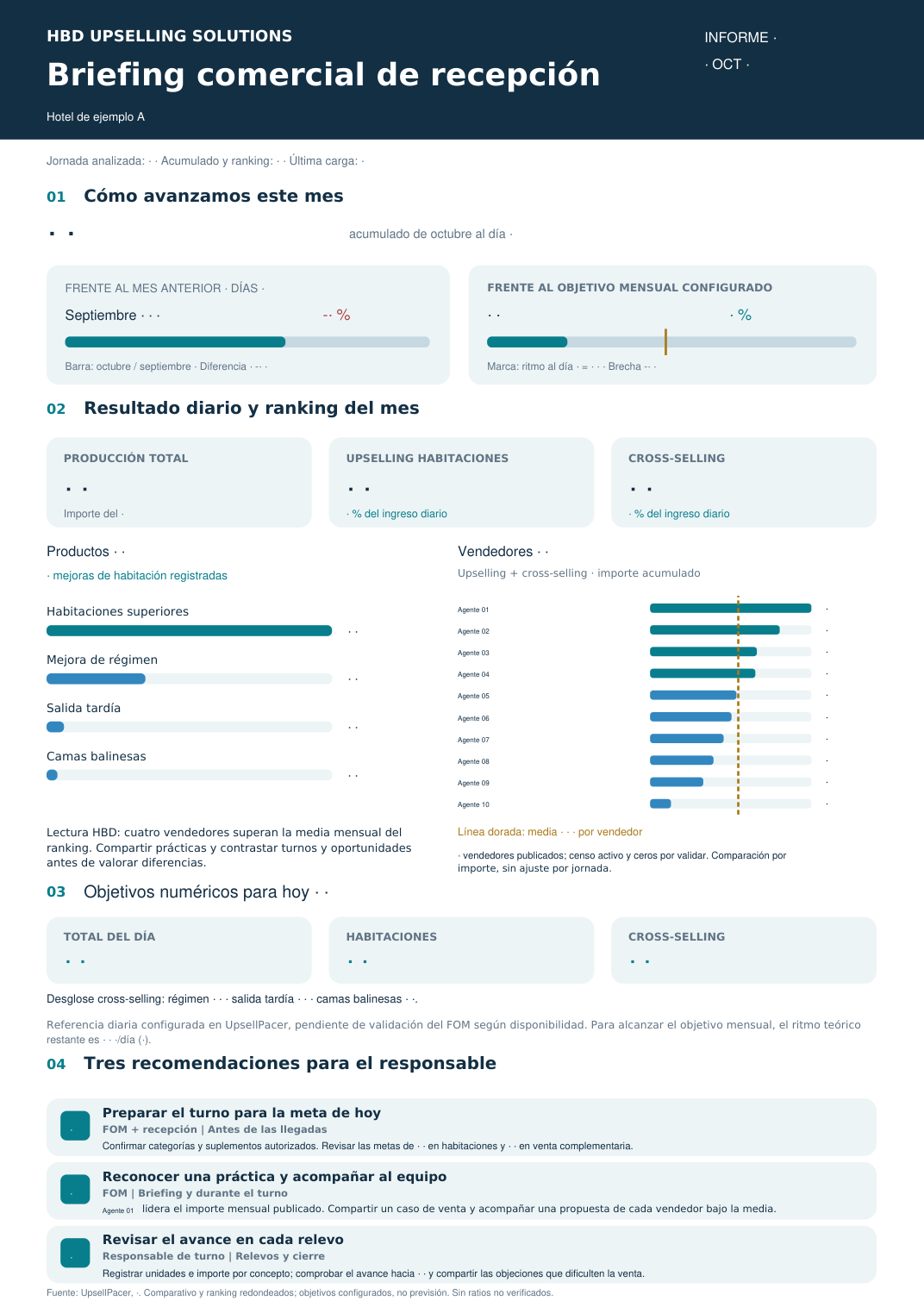
Daily report for the briefing
Anonymised example: identities, amounts and numeric references are hidden. Daily production, rankings and configured targets. Targets are not a forecast.
Open the anonymised PDF ↗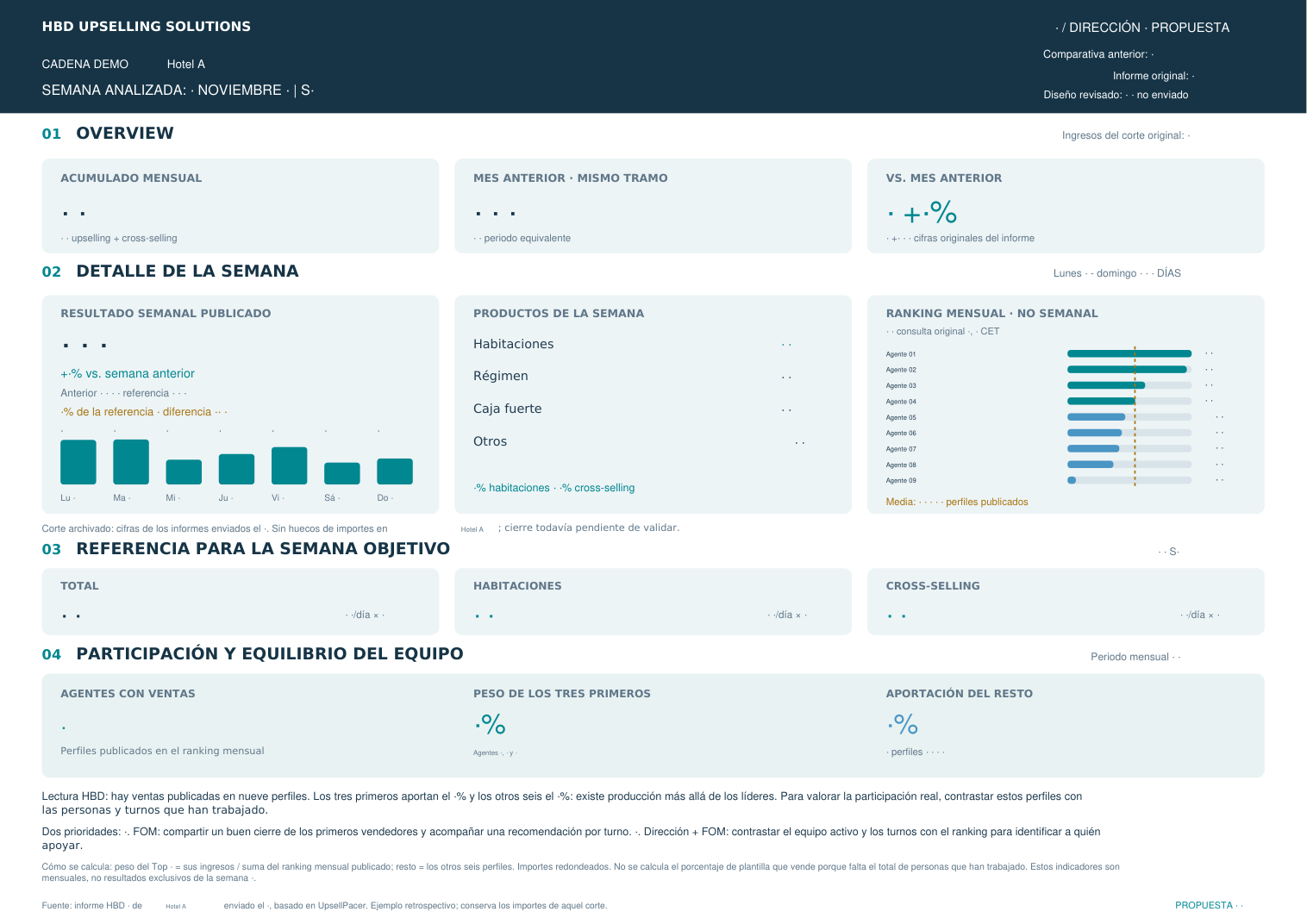 Enlarge and browse the slides ↗
Weekly management follow-up
Anonymised retrospective example: identities, amounts and numeric references are hidden. The document retains its proposal status and validation notes.
Open the anonymised PDF ↗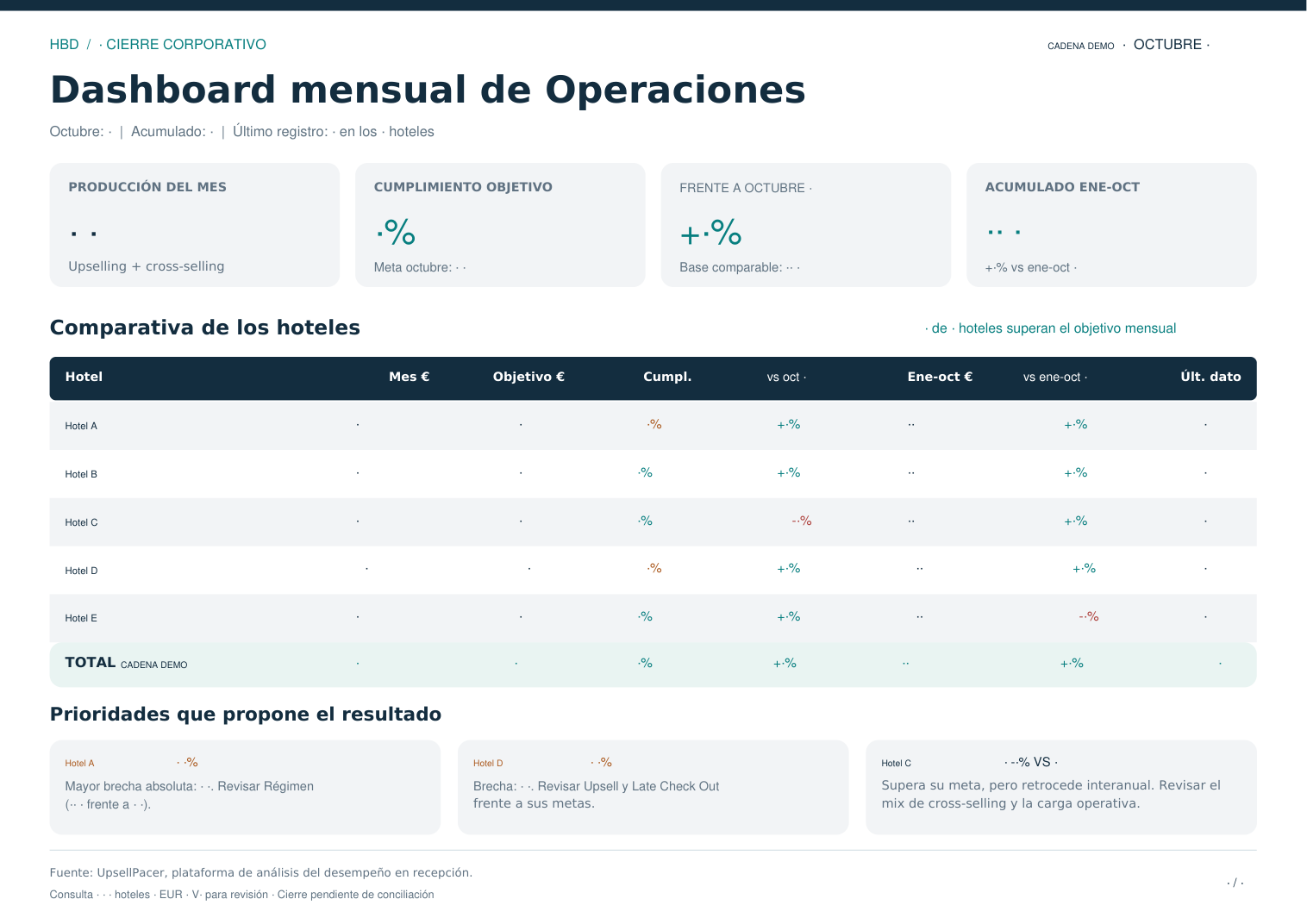 Enlarge and browse the slides ↗
Operations dashboard
Anonymised example: identities, amounts and numeric references are hidden. Results and targets by hotel; close pending reconciliation, as stated in the source.
Open the anonymised PDF ↗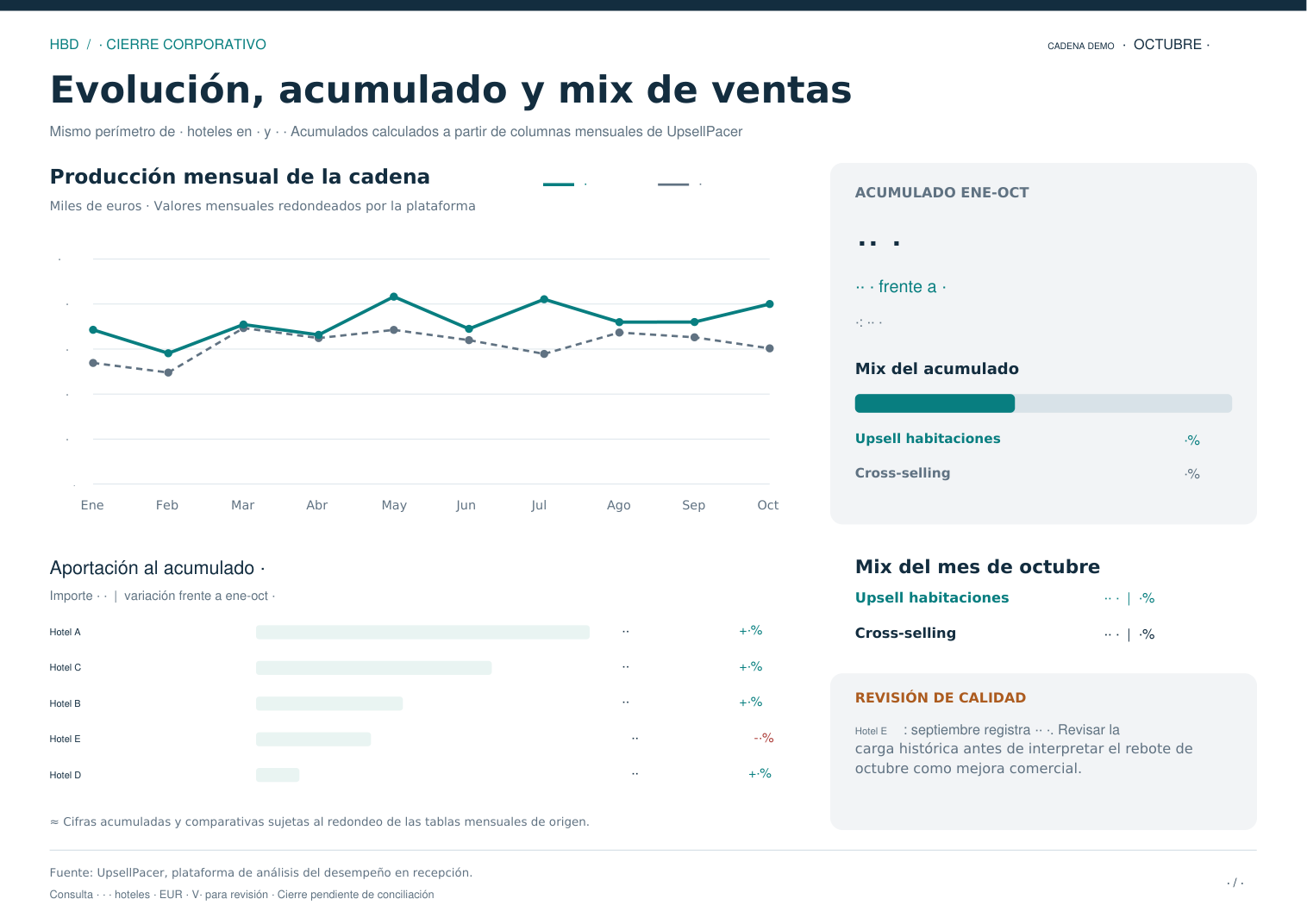 Enlarge and browse the slides ↗
Operations dashboard · Trends and mix
Anonymised example: identities, amounts and numeric references are hidden. Results and targets by hotel; close pending reconciliation, as stated in the source.
Open the anonymised PDF ↗Examples retain their source scope and validation notes: configured targets, a weekly report in proposal status and a corporate close pending reconciliation. They are not forecasts or promised results.